

Take applications by link, not by voicemail.
Build your application once and share one link. Every submission lands in a pending list with signatures and uploads attached, and applicants get a reference number to check their status.
7-day free trial · No credit card · One flat price for the whole house
The 11 p.m. intake call
Applications don't come in during office hours. They come in as a missed call at 11 p.m., a voicemail from a case manager, a text from someone's cousin. Taking one by phone means twenty minutes of notes, then chasing a signature on the house rules, then typing it all in again at move-in.
HopeLinx turns that into a link. Build the application once, text or post the link, and what comes back is a complete, signed application in the same sober living software you use for beds and dues. We wrote more about why in the case for an online intake link.
Build the application your house actually uses
Start from a template, build with HopeLinx AI, upload the PDF or Word application you already have, or start blank. Fields include text, dates, dropdowns, checkboxes, phone and email, file uploads, repeating lists like contacts, and signatures. Show or hide questions based on earlier answers, mark what's required, and split a long application into steps.
Map answers to the resident record, like name, date of birth, phone and emergency contact, so nothing gets retyped at move-in. One click adds a standard set of 13 intake fields that are already mapped.
- Templates for applications, house rules and resident agreements
- Conditional questions and multi-step forms
- File uploads up to 5 MB (images, PDF or Word)
- Answers that fill in the resident profile
One link you can text, post or print
Publish the application as a public form and you get a link with a custom address, plus a QR code for flyers and the front door. Applicants don't need an account. They fill it out on their phone, sign by drawing or typing their name, and submit. If they close the page partway, their answers are saved in their browser for when they come back.
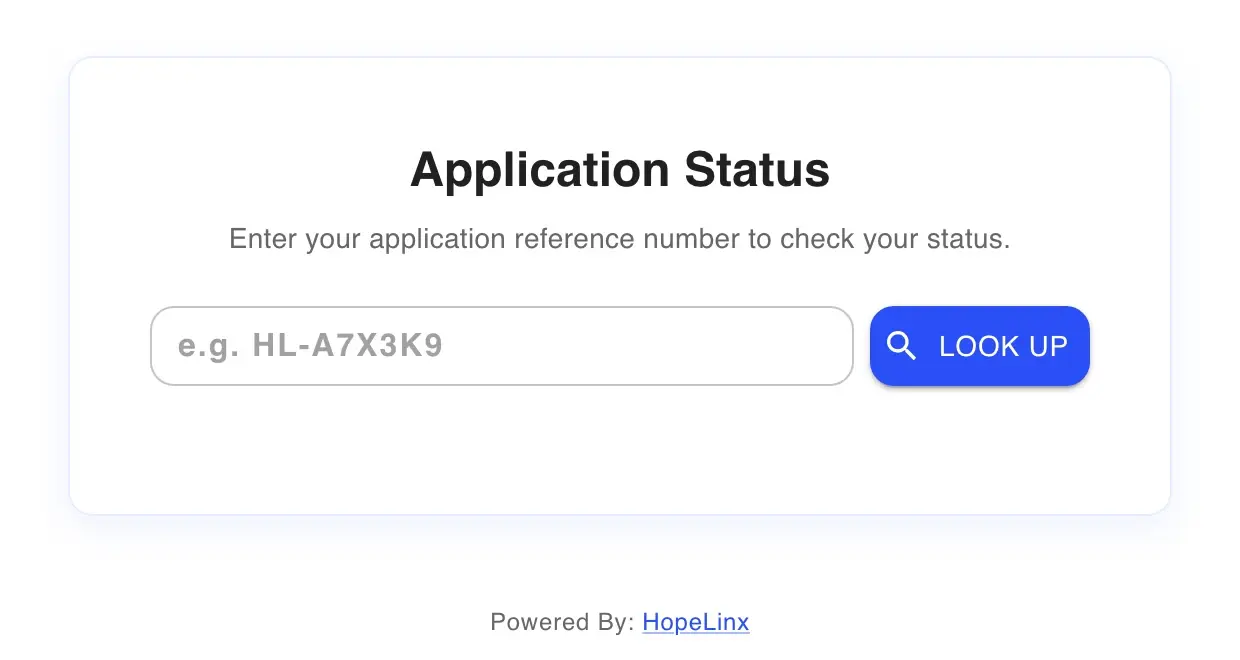
When they submit, they get a reference number and a link to the Application Status page, where they can see whether their application is under review, approved or not approved. You can set an expiry date, write your own thank-you message, or send them to your website afterward.
Applications land in a list, not your voicemail
Each submission emails the staff you choose with every answer and the signature. Turn on pending accounts and the applicant also shows up under Residents, on the Pending tab, where staff can approve, reject or reserve a bed. If you want a review step, turn on Require review and submissions wait as Awaiting Review until someone looks.
Approving walks through the rest of intake: program details, move-in date, forms and housing. Rejecting records a reason, can email the applicant, and can let them ask for reconsideration or reapply after a date you set.
If a past resident applies again, HopeLinx matches them by email, by name and phone, or by name and date of birth. It links the application to their existing record and only fills in fields that were blank.
- An email to your chosen staff on every submission
- A pending list with Approve, Reject and Reserve
- Rejection reasons and reconsideration requests
- Returning applicants matched to their old record
House rules and agreements, signed and filed with the resident
The same forms tool handles everything after the application: house rules, resident agreements, financial agreements and releases of information. A form can appear on a resident's account automatically, go out as a link that expires, or be filled out in person on a staff device.
Signatures are saved with the IP address and browser they came from, edits are logged with who made them and why, and any completed form downloads as a PDF. It all lives on the resident's record, under Records.
- Automatic, sent by link, or filled out in person
- Typed or drawn signatures, stamped with IP and browser
- A PDF of any completed form
What it doesn't do (yet)
- No application fees inside the form. Deposits are taken when you reserve a bed.
- No background, credit or ID checks.
- The form can't be embedded in your website in an iframe. Link to it, add a button, or use the QR code.
- Spam protection is a rate limit on submissions, not a CAPTCHA.
- One form can't route applicants to different houses. For a separate application per house, duplicate the form and give each copy its own link.
- Files uploaded with a public application stay with the submission. They aren't filed into the resident's documents automatically.
- Building forms works best on a computer. Filling them out works on any phone.
Application questions
Links, signatures and what happens after someone applies.
Do applicants need an account?
Can I put the application on my website?
Can each house have its own application?
How do I know when someone applies?
Can applicants check their status?
How are signatures captured?
Can I charge an application fee?
What if a former resident applies again?
Still have questions?
We're happy to walk you through anything — setup, pricing, or compliance.
The rest of the house, in the same system
Bed board
Every bed in every house: who's in it, who's moving in, and what's open today.
How the bed board worksRent & dues
Weekly or monthly dues, card and Cash App Pay into your own Stripe account, and cash logged with a receipt.
How dues collection worksShift reports
Shift reports, bed-check rounds and chores, dated and searchable by house.
How shift reports workHow prices compare
Eight sober living software vendors, their published prices, and what each costs at 8, 30 and 120 beds.
See the comparisonSend a link instead of taking notes.
Try it free for 7 days with no credit card. Upload the application you use now and start from there.